


















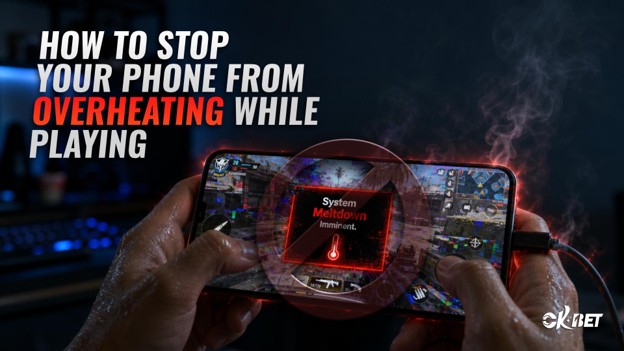
How to Stop Your Phone From Overheating While Playing
It’s a familiar experience for any player of games on a phone. Your phone begins to warm up in your hand as you’re deep into a match and everything is going well. Occasionally it becomes so hot that the game suddenly slows down or the screen dims by itself. Simple software, like an online casino app that plays live dealer videos can highly strain your processor and generate a lot more heat than you would think. Heat is a huge pain in mobile gaming, though, once you find the source, you can eliminate it.
Why Do Phones Heat Up While Playing Games?
You do not need to use your cell phone as a gaming console. It is designed to be lightweight, portable, and thin. Although that design is excellent for daily usage, there isn’t much space for airflow. As soon as you start running a very demanding game, the processor and graphics chip get to work and produce heat. The heat builds up directly where your hand is holding the phone since there is nowhere for it to swiftly escape.
Plus, screens make it worse. Bright displays consume more power, which in turn generates more heat. When you add background processes such as streaming, downloads and alerts, your phone is running longer than necessary without you even knowing.
Games That Make Your Phone Hot
Heavy Heat Is Associated with Heavy Graphics
Realistic light, complex 3D environments and smooth animation pour a high stress test on your phone’s hardware. Your phone’s chip must work more to render something that seems more lifelike. This applies not only to large-scale action games but also to anything that uses continuous animation or video, such as live-streamed material within some apps.
Continuous Communication Adds Up
Games that demand a steady Internet connection likewise generate additional warmth. Your phone is constantly transmitting and receiving data as well as handling visuals. Even though they may not appear visually appealing, some games heat up your phone more quickly than others due to the mix of graphics work and network activity.
Simple Habits That Count
Allow Your Phone to Breathe
More than most people realize, the case you use is important. Thick casings, especially made of rubber or thick plastic, will retain heat instead of letting it out. Try taking off the case during extended gaming sessions if your phone frequently overheats to see if it helps. Just how much heat is trapped below it will shock you.
Reduce the Brightness
Brightness on the screen is one of the major unknown heat sources. Even if you dim it just a little bit, the processors and batteries won’t have to work as hard. The phone will be able to tell the difference in a low-light scenario, but you likely will not be able to.
Shut Down What You’re Not Using
Even when you’re not looking at them, background apps utilize power and produce heat. Close all the apps you don’t need before playing the game. Although it’s a little habit, doing so frees up resources that your phone can use for the game.
Take Quick Pauses
Your phone won’t have time to cool down if you play continually for hours. Every now and again, take a quick break—even for a minute or two—to allow your body’s temperature to drop before you resume. This is particularly useful while playing difficult games for extended periods of time.
Configurations That Actually Make a Difference
Activate Battery Saver While Playing
Although it may seem counterintuitive, several battery-saving modes minimize processing demands and background activities, which can reduce heat output while playing. Some phones even feature a special gaming mode that simultaneously controls temperature and performance.
Reduce the in-game Graphics Settings
The majority of games allow you to change the visual quality. Lower resolutions, lights, or shadows cause your phone to perform less strenuously. Your phone will operate substantially cooler, but you won’t frequently notice the visual difference.
Update Your System and Apps Frequently
Developers frequently release updates that enhance performance and address overheating-related issues. If you keep your phone’s OS and game updated, you’ll get these updates as soon as they’re available.
When Your Gaming Environment Becomes a Challenge
Most people don’t realize how important it is where you play. It is more difficult for your phone to naturally discharge heat when you play in a hot place or in direct sunshine. If your cell phone starts to heat up more than usual, you should look around before placing the fault on the game. Relocating to a cooler space or avoiding direct sunlight can have a significant impact.
Because charging and gaming both require electricity at the same time, charging your phone while you’re also playing generates additional heat. Instead of plugging in while playing, attempt to fully charge before a gaming session if at all possible.
Indications to Pause and Allow It to Cool Down
Physical Indications
You should stop using your phone if it is too hot to handle. Playing on a phone that is too hot to handle is really stressful.
Performance Indicators
Your phone will occasionally automatically slow down to safeguard its internal parts. If your phone is lagging, stuttering or dropping frames that didn’t happen before, the problem might be your phone overheating instead of the game.
Screen Dimming Without Notification
When temperatures become too high, certain phones will automatically reduce the brightness of the screen. This is an obvious indication that your phone needs a quick rest and is a built-in safety function, not a bug.
Why This Is More Important As Games Improve
Mobile games continue to strive for continual online functionality and graphics comparable to those of consoles. As the games get more sophisticated, so do their demands on the device’s hardware. Since this issue won’t go away anytime soon, adopting healthy heat practices will be much more beneficial in the future.
The benefit is that controlling heat is not difficult. A few minor changes, such as turning down the brightness, shutting down background apps, and taking periodic breaks from using your phone, can make a big difference. Although your phone was designed to withstand a lot, a little assistance from you maintains it functioning well session after session without reducing the amount of time you spend playing.