

















How NextPage Helps Businesses With Managed Print Solutions
Managing business printing can become more difficult as your organization grows. The daily activities may become more difficult to manage due to the use of different devices, spread print charges, supply orders, and frequent equipment problems. Meanwhile, sensitive documents might need extra security, and uneven print quality can impact your brand.
These individual tasks can be united within a framework with a controlled strategy. NextPage evaluates your existing print environment, helps optimize device use, manages supplies and maintenance, and provides ongoing support. This provides you with a clearer picture of printing and less unnecessary work for your internal team.
NextPage responds to these challenges by offering six practical managed print services.
1. Reduces Business Printing Costs
The first step to cost control is to know where your printing budget is headed. NextPage’s managed print solutions begin with an assessment of your current devices, output volumes, and workflows. This gives you a starting point to determine which areas you don’t need to spend and where you can enhance your print environment.
NextPage can then assist in right-sizing your printer fleet. This can include eliminating unnecessary desktop printers and standardizing equipment where necessary. Reduced numbers of superfluous devices can lower maintenance requirements and contribute to decreasing the cost-per-page.
Monthly prices that are predictable can also facilitate easy management of expenses. The service integrates these aspects of the hardware, maintenance, and consumables into a single agreement rather than having separate hardware, maintenance, and consumable costs. This provides you with a better picture of your current print spend.
Another form of control is print tracking. Through output, you are in a position to detect whether you are overprinting and where you are consuming resources. You are then in a position to make informed decisions as opposed to using estimates.
2. Optimizes Printer Fleet Management

An inefficient printer fleet can create problems across multiple departments. You may have devices that are rarely used, equipment that cannot handle certain workloads, or different models that require separate maintenance and supplies.
NextPage approaches fleet management by first evaluating how your existing equipment is being used. It considers devices, output volumes, and workflows before recommending changes. This helps align your equipment with actual business requirements.
Fleet right-sizing can also reduce unnecessary duplication. For example, several underused devices may be replaced with a more suitable setup that meets the same workload requirements. Standardizing equipment can make support and supply management easier as well.
This approach is particularly useful when you operate across multiple departments or locations. A centrally managed fleet gives you greater consistency and makes it easier to maintain print standards throughout your organization.
3. Provides Proactive Print Equipment Support
Printer problems can interrupt work when your team has to wait for repairs or find replacement supplies. Reactive maintenance can also place additional pressure on IT or administrative staff.
NextPage uses proactive support to address these issues before they become larger disruptions. Its managed print service includes scheduled maintenance and monitoring, helping identify potential equipment problems before device failures occur.
Supply management is another part of this process. Instead of relying entirely on employees to notice when toner or ink is running low, automated replenishment can help keep essential supplies available.
NextPage also provides a centralized helpdesk and service-level accountability under one vendor agreement. This gives your team a clear point of contact for print-related issues. As a result, internal staff can spend less time coordinating repairs, supplies, and service requests.
4. Improves Document and Print Security
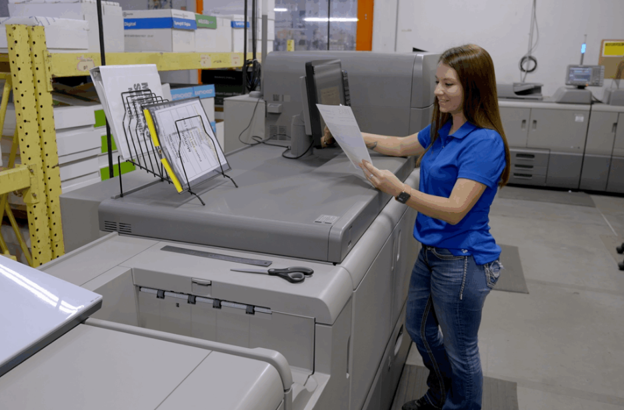
Business printing can involve sensitive information. Financial records, healthcare documents, employee information, and internal reports should not be left unattended on shared printers.
NextPage addresses this concern through security features designed for controlled document handling. Its managed print services include secure pull printing, user authentication, and encrypted data pathways. These measures can help ensure that documents are released only when authorized personnel are present.
The approach can be especially relevant for organizations with compliance requirements. NextPage states that its processes are HIPAA-ready and support industries such as healthcare, financial services, legal organizations, enterprise marketing teams, and multi-location businesses.
Print policies can also be managed through advanced software. For example, output can be tracked by user, device, or department. Policies such as default duplex printing can also help control unnecessary output while supporting better oversight.
5. Simplifies Supplies and Print Monitoring
Keeping track of toner, ink, paper, devices, and print volumes can become a recurring administrative task. When supply ordering is handled manually, it can also lead to unnecessary stock or unexpected shortages.
NextPage uses automated supply management to make this process more predictable. Toner and ink replenishment can be automated based on print activity, while maintenance can be scheduled around equipment needs.
Print monitoring also gives you greater visibility into your environment. Instead of looking at printing as one general expense, you can track output by specific users, devices, or departments.
This information can help you identify patterns. If one department is producing considerably more printed material than expected, for instance, you can investigate the reason and determine whether a different workflow would be more efficient.
That level of visibility makes print management more practical because you can base decisions on actual activity rather than assumptions.
6. Streamlines Business Print Workflows
Printing is often connected to wider business processes. Documents may need to be scanned, routed, reviewed, printed, stored, or distributed. When these steps rely heavily on manual handling, employees can spend unnecessary time moving information between systems.
NextPage supports workflow automation to reduce this manual work. Its managed print services can include digital document routing, which helps move information through established processes more efficiently.
This can be valuable when your organization handles large document volumes. Rather than treating every print task as a separate activity, you can look at the entire workflow and identify steps that can be simplified.
NextPage also supports centralized management across the print environment. With one helpdesk and defined service-level responsibilities, you have fewer separate processes to coordinate.
The result is a more structured print environment. Your team can spend less time managing routine print issues and more time focusing on core business responsibilities.
Conclusion
Managing business printing requires more than keeping printers operational. You also need control over costs, equipment, supplies, security, and workflows. NextPage brings these areas together through a managed approach that starts with assessing your existing print environment and continues with fleet management, monitoring, maintenance, security, and workflow support.
For businesses with complex or high-volume printing needs, this structure can make day-to-day management easier. You gain clearer visibility into print activity while reducing the administrative burden on internal teams. By addressing these areas together, managed print services can support a more efficient and controlled business print environment.